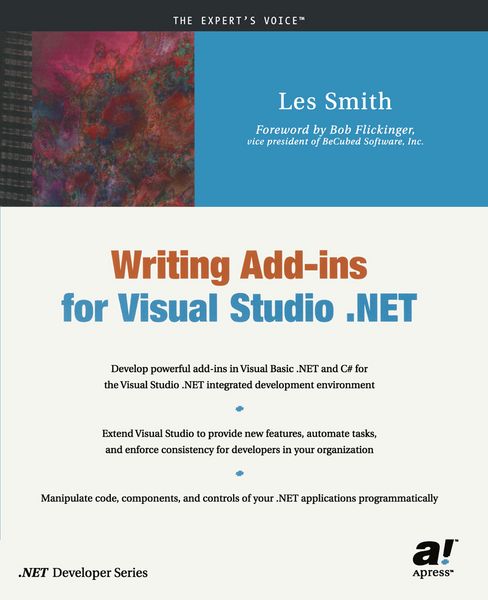
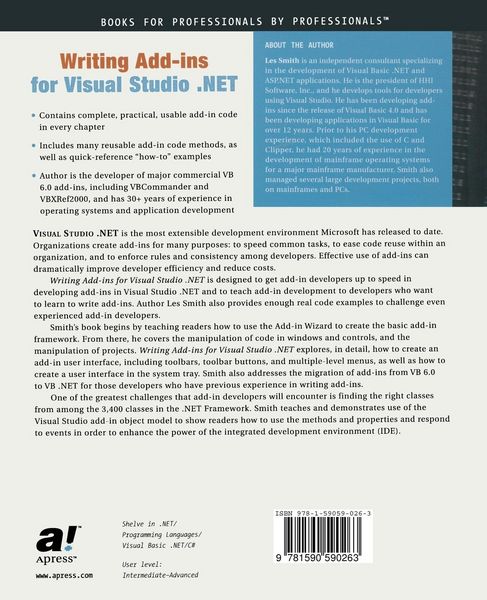
• Produktbild: Writing Add-ins for Visual Studio .NET
  • Produktbild: Writing Add-ins for Visual Studio .NET
- 13%

Writing Add-ins for Visual Studio .NET Develop powerfull add-ins in Visual Basic .NET and C sharp for Visual Studio .NET integrated development environment. Extend Visual Studio to provide new features, automate tasks, and enforce consistency for developers in your organization . . .

13% sparen

39,99 € UVP 46,00 €

inkl. gesetzl. MwSt., Versandkostenfrei


Beschreibung

Produktdetails

Einband

Taschenbuch

Erscheinungsdatum

31.07.2002

Verlag

Apress

Seitenzahl

552

Maße (L/B/H)

23,5/19,1/2,9 cm

Gewicht

1025 g

Auflage

Softcover reprint of the original 1st ed.

Sprache

Englisch

ISBN

978-1-59059-026-3

Beschreibung

Produktdetails

Einband

Taschenbuch

Erscheinungsdatum

31.07.2002

Verlag

Apress

Seitenzahl

552

Maße (L/B/H)

23,5/19,1/2,9 cm

Gewicht

1025 g

Auflage

Softcover reprint of the original 1st ed.

Sprache

Englisch

ISBN

978-1-59059-026-3

Herstelleradresse

Springer-Verlag GmbH
Tiergartenstr. 17
69121 Heidelberg
DE

Email: ProductSafety@springernature.com

Noch keine Bewertungen vorhanden

Verfassen Sie die erste Bewertung zu diesem Artikel

Helfen Sie anderen Kundinnen und Kunden durch Ihre Meinung.

Kundinnen und Kunden meinen

Bewertungen (0)

  • Produktbild: Writing Add-ins for Visual Studio .NET
  • Produktbild: Writing Add-ins for Visual Studio .NET
  • 1 What Is an Add-in?.- 2 Getting Started with the Add-in Wizard.- 3 The Smart Desktop Add-in.- 4 Debugging an Add-in.- 5 Manipulating Code in Windows.- 6 Manipulating Controls on Forms.- 7 The User Interface.- 8 The Macro Explorer and the Macros IDE.- 9 Manipulating Projects.- 10 Multiple Languages in Add-ins.- 11 Handling Automation Events.- 12 Putting It Together: Let’s Build a Real Add-in.- 13 Migrating VB 6.0 Add-ins to .NET.- Appendixes.- Appendix A Extensibility Objects.- Build Objects.- CodeModel.- Commands.- Debugger.- Documents.- DTE.- Project.- Solution.- Window Objects.- WinForms.- Appendix B Quick Reference: How Do I ...?.- Get Code from a Code Editor Window.- Retrieve a Whole Procedure from a Code Editor Window.- Put Code Back into a Code Editor Window.- Add a New Method to the End of a Module.- Reference Properties of a Form.- Change a Property on a Form.- Reference Properties of a Control on a Form.- Change a Property of a Control on a Form.- Reference All of the Selected Controls on a Form.- Create a Windows Application Project from an Add-in.- Add an Item to a Project.- Delete an Item from a Project.- Add a Menu Item to the IDE.- Add an Add-in Toolbar to the IDE.- Add Tool Buttons to a Toolbar.- Add Multilevel Menus to the IDE.- Capture Events in the IDE.- Add a New Class, Form, or Module.- Persist My Own Clipboard Ring.- Access the Tool Options Dialog Box Programmatically.- Manually Register an Add-in Not Created with the Add-in Wizard on My Computer.- Manually Make the Registry Entries for the Add-in Manager Dialog Box for Add-ins Not Created by the Wizard on My Computer.- Create a Setup Project for an Add-in Not Created on My Computer.- Debug an Add-in When I Only Have the Add-in Project.- Recognize When a Form Has Been Added to the Project.-Recognize When a Component Has Been Added to a Form.- Reload a Component.- Close All Saved Windows in the IDE.- Close and Save All but the Active Document.- Make a Backup Copy of the Current Window.- Open All Code and Designer Windows.- Use the CodeModel Object to Analyze Code.- Display a Variable or Method Declaration Line in a Code Window.