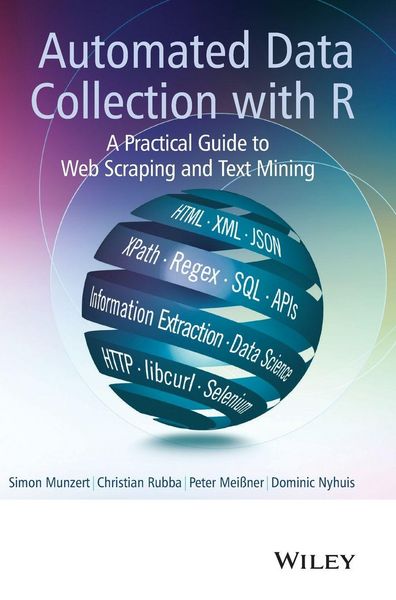
Produktbild: Automated Data Collection with R

Automated Data Collection with R A Practical Guide to Web Scraping and Text Mining

99,99 €

inkl. gesetzl. MwSt., Versandkostenfrei

Lieferung nach Hause

Beschreibung

Produktdetails

Einband

Gebundene Ausgabe

Erscheinungsdatum

20.01.2015

Verlag

John Wiley & Sons

Seitenzahl

474

Maße (L/B/H)

25,1/17,4/3 cm

Gewicht

870 g

Auflage

1. Auflage

Sprache

Englisch

ISBN

978-1-118-83481-7

Beschreibung

Produktdetails

Einband

Gebundene Ausgabe

Erscheinungsdatum

20.01.2015

Verlag

John Wiley & Sons

Seitenzahl

474

Maße (L/B/H)

25,1/17,4/3 cm

Gewicht

870 g

Auflage

1. Auflage

Sprache

Englisch

ISBN

978-1-118-83481-7

Herstelleradresse

Libri GmbH
Europaallee 1
36244 Bad Hersfeld
DE

Email: Libri GmbH

Kundinnen und Kunden meinen

0 Bewertungen

Informationen zu Bewertungen

Zur Abgabe einer Bewertung ist eine Anmeldung im Konto notwendig. Die Authentizität der Bewertungen wird von uns nicht überprüft. Wir behalten uns vor, Bewertungstexte, die unseren Richtlinien widersprechen, entsprechend zu kürzen oder zu löschen.

Die Bewertungen sind nach Format, Anzahl Sterne und Datum sortiert.

Verfassen Sie die erste Bewertung zu diesem Artikel

Helfen Sie anderen Kund*innen durch Ihre Meinung

Kundinnen und Kunden meinen

0 Bewertungen filtern

Die Leseprobe wird geladen.
  • Produktbild: Automated Data Collection with R
  • Preface xv

    1 Introduction 1

    1.1 Case study: World Heritage Sites in Danger 1

    1.2 Some remarks on web data quality 7

    1.3 Technologies for disseminating, extracting, and storing web data 9

    1.3.1 Technologies for disseminating content on the Web 9

    1.3.2 Technologies for information extraction from web documents 11

    1.3.3 Technologies for data storage 12

    1.4 Structure of the book 13

    Part One A Primer onWeb and Data Technologies 15

    2 HTML 17

    2.1 Browser presentation and source code 18

    2.2 Syntax rules 19

    2.2.1 Tags, elements, and attributes 20

    2.2.2 Tree structure 21

    2.2.3 Comments 22

    2.2.4 Reserved and special characters 22

    2.2.5 Document type definition 23

    2.2.6 Spaces and line breaks 23

    2.3 Tags and attributes 24

    2.3.1 The anchor tag 24

    2.3.2 The metadata tag 25

    2.3.3 The external reference tag 26

    2.3.4 Emphasizing tags , , 26

    2.3.5 The paragraphs tag

    27

    2.3.6 Heading tags , , ,... 27

    2.3.7 Listing content with , , and 27

    2.3.8 The organizational tags and 27

    2.3.9 The tag and its companions 29

    2.3.10 The foreign script tag 30

    2.3.11 Table tags , , , and 32

    2.4 Parsing 32

    2.4.1 What is parsing? 33

    2.4.2 Discarding nodes 35

    2.4.3 Extracting information in the building process 37

    Summary 38

    Further reading 38

    Problems 39

    3 XML and JSON 41

    3.1 A short example XML document 42

    3.2 XML syntax rules 43

    3.2.1 Elements and attributes 44

    3.2.2 XML structure 46

    3.2.3 Naming and special characters 48

    3.2.4 Comments and character data 49

    3.2.5 XML syntax summary 50

    3.3 When is an XML document well formed or valid? 51

    3.4 XML extensions and technologies 53

    3.4.1 Namespaces 53

    3.4.2 Extensions of XML 54

    3.4.3 Example: Really Simple Syndication 55

    3.4.4 Example: scalable vector graphics 58

    3.5 XML and R in practice 60

    3.5.1 Parsing XML 60

    3.5.2 Basic operations on XML documents 63

    3.5.3 From XML to data frames or lists 65

    3.5.4 Event-driven parsing 66

    3.6 A short example JSON document 68

    3.7 JSON syntax rules 69

    3.8 JSON and R in practice 71

    Summary 76

    Further reading 76

    Problems 76

    4 XPath 79

    4.1 XPath--a query language for web documents 80

    4.2 Identifying node sets with XPath 81

    4.2.1 Basic structure of an XPath query 81

    4.2.2 Node relations 84

    4.2.3 XPath predicates 86

    4.3 Extracting node elements 93

    4.3.1 Extending the fun argument 94

    4.3.2 XML namespaces 96

    4.3.3 Little XPath helper tools 97

    Summary 98

    Further reading 99

    Problems 99

    5 HTTP 101

    5.1 HTTP fundamentals 102

    5.1.1 A short conversation with a web server 102

    5.1.2 URL syntax 104

    5.1.3 HTTP messages 106

    5.1.4 Request methods 108

    5.1.5 Status codes 108

    5.1.6 Header fields 109

    5.2 Advanced features of HTTP 116

    5.2.1 Identification 116

    5.2.2 Authentication 121

    5.2.3 Proxies 123

    5.3 Protocols beyond HTTP 124

    5.3.1 HTTP Secure 124

    5.3.2 FTP 126

    5.4 HTTP in action 126

    5.4.1 The libcurl library 127

    5.4.2 Basic request methods 128

    5.4.3 A low-level function of RCurl 131

    5.4.4 Maintaining connections across multiple requests 132

    5.4.5 Options 133

    5.4.6 Debugging 139

    5.4.7 Error handling 143

    5.4.8 RCurl or httr--what to use? 144

    Summary 144

    Further reading 144

    Problems 146

    6 AJAX 149

    6.1 JavaScript 150

    6.1.1 How JavaScript is used 150

    6.1.2 DOM manipulation 151

    6.2 XHR 154

    6.2.1 Loading external HTML/XML documents 155

    6.2.2 Loading JSON 157

    6.3 Exploring AJAX with Web Developer Tools 158

    6.3.1 Getting started with Chrome's Web Developer Tools 159

    6.3.2 The Elements panel 159

    6.3.3 The Network panel 160

    Summary 161

    Further reading 162

    Problems 162

    7 SQL and relational databases 164

    7.1 Overview and terminology 165

    7.2 Relational Databases 167

    7.2.1 Storing data in tables 167

    7.2.2 Normalization 170

    7.2.3 Advanced features of relational databases and DBMS 174

    7.3 SQL: a language to communicate with Databases 175

    7.3.1 General remarks on SQL, syntax, and our running example 175

    7.3.2 Data control language--DCL 177

    7.3.3 Data definition language--DDL 178

    7.3.4 Data manipulation language--DML 180

    7.3.5 Clauses 184

    7.3.6 Transaction control language--TCL 187

    7.4 Databases in action 188

    7.4.1 R packages to manage databases 188

    7.4.2 Speaking R-SQL via DBI-based packages 189

    7.4.3 Speaking R-SQL via RODBC 191

    Summary 192

    Further reading 193

    Problems 193

    8 Regular expressions and essential string functions 196

    8.1 Regular expressions 198

    8.1.1 Exact character matching 198

    8.1.2 Generalizing regular expressions 200

    8.1.3 The introductory example reconsidered 206

    8.2 String processing 207

    8.2.1 The stringr package 207

    8.2.2 A couple more handy functions 211

    8.3 A word on character encodings 214

    Summary 216

    Further reading 217

    Problems 217

    Part Two A Practical Toolbox forWeb Scraping and Text Mining 219

    9 Scraping the Web 221

    9.1 Retrieval scenarios 222

    9.1.1 Downloading ready-made files 223

    9.1.2 Downloading multiple files from an FTP index 226

    9.1.3 Manipulating URLs to access multiple pages 228

    9.1.4 Convenient functions to gather links, lists, and tables from HTML documents 232

    9.1.5 Dealing with HTML forms 235

    9.1.6 HTTP authentication 245

    9.1.7 Connections via HTTPS 246

    9.1.8 Using cookies 247

    9.1.9 Scraping data from AJAX-enriched webpages with Selenium/Rwebdriver 251

    9.1.10 Retrieving data from APIs 259

    9.1.11 Authentication with OAuth 266

    9.2 Extraction strategies 270

    9.2.1 Regular expressions 270

    9.2.2 XPath 273

    9.2.3 Application Programming Interfaces 276

    9.3 Web scraping: Good practice 278

    9.3.1 Is web scraping legal? 278

    9.3.2 What is robots.txt? 280

    9.3.3 Be friendly! 284

    9.4 Valuable sources of inspiration 290

    Summary 291

    Further reading 292

    Problems 293

    10 Statistical text processing 295

    10.1 The running example: Classifying press releases of the British government 296

    10.2 Processing textual data 298

    10.2.1 Large-scale text operations--The tm package 298

    10.2.2 Building a term-document matrix 303

    10.2.3 Data cleansing 304

    10.2.4 Sparsity and n-grams 305

    10.3 Supervised learning techniques 307

    10.3.1 Support vector machines 309

    10.3.2 Random Forest 309

    10.3.3 Maximum entropy 309

    10.3.4 The RTextTools package 309

    10.3.5 Application: Government press releases 310

    10.4 Unsupervised learning techniques 313

    10.4.1 Latent Dirichlet Allocation and correlated topic models 314

    10.4.2 Application: Government press releases 314

    Summary 320

    Further reading 320

    11 Managing data projects 322

    11.1 Interacting with the file system 322

    11.2 Processing multiple documents/links 323

    11.2.1 Using for-loops 324

    11.2.2 Using while-loops and control structures 326

    11.2.3 Using the plyr package 327

    11.3 Organizing scraping procedures 328

    11.3.1 Implementation of progress feedback: Messages and progress bars 331

    11.3.2 Error and exception handling 333

    11.4 Executing R scripts on a regular basis 334

    11.4.1 Scheduling tasks on Mac OS and Linux 335

    11.4.2 Scheduling tasks on Windows platforms 337

    Part Three A Bag of Case Studies 341

    12 Collaboration networks in the US Senate 343

    12.1 Information on the bills 344

    12.2 Information on the senators 350

    12.3 Analyzing the network structure 353

    12.3.1 Descriptive statistics 354

    12.3.2 Network analysis 356

    12.4 Conclusion 358

    13 Parsing information from semistructured documents 359

    13.1 Downloading data from the FTP server 360

    13.2 Parsing semistructured text data 361

    13.3 Visualizing station and temperature data 368

    14 Predicting the 2014 Academy Awards using Twitter 371

    14.1 Twitter APIs: Overview 372

    14.1.1 The REST API 372

    14.1.2 The Streaming APIs 373

    14.1.3 Collecting and preparing the data 373

    14.2 Twitter-based forecast of the 2014 Academy Awards 374

    14.2.1 Visualizing the data 374

    14.2.2 Mining tweets for predictions 375

    14.3 Conclusion 379

    15 Mapping the geographic distribution of names 380

    15.1 Developing a data collection strategy 381

    15.2 Website inspection 382

    15.3 Data retrieval and information extraction 384

    15.4 Mapping names 387

    15.5 Automating the process 389

    Summary 395

    16 Gathering data on mobile phones 396

    16.1 Page exploration 396

    16.1.1 Searching mobile phones of a specific brand 396

    16.1.2 Extracting product information 400

    16.2 Scraping procedure 404

    16.2.1 Retrieving data on several producers 404

    16.2.2 Data cleansing 405

    16.3 Graphical analysis 406

    16.4 Data storage 408

    16.4.1 General considerations 408

    16.4.2 Table definitions for storage 409

    16.4.3 Table definitions for future storage 410

    16.4.4 View definitions for convenient data access 411

    16.4.5 Functions for storing data 413

    16.4.6 Data storage and inspection 415

    17 Analyzing sentiments of product reviews 416

    17.1 Introduction 416

    17.2 Collecting the data 417

    17.2.1 Downloading the files 417

    17.2.2 Information extraction 421

    17.2.3 Database storage 424

    17.3 Analyzing the data 426

    17.3.1 Data preparation 426

    17.3.2 Dictionary-based sentiment analysis 427

    17.3.3 Mining the content of reviews 432

    17.4 Conclusion 434

    References 435

    General index 442

    Package index 448

    Function index 449