• Produktbild: Beginning Build and Release Management with TFS 2017 and VSTS
  • Produktbild: Beginning Build and Release Management with TFS 2017 and VSTS

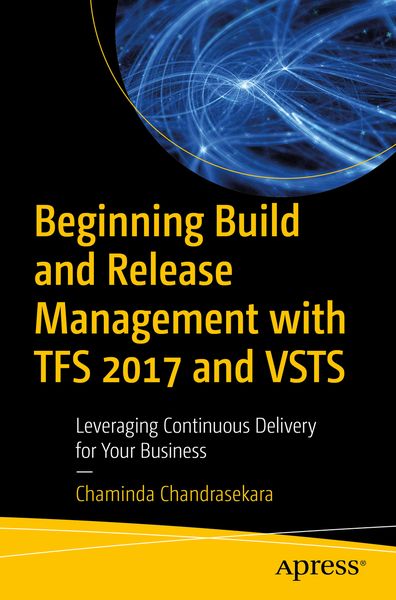
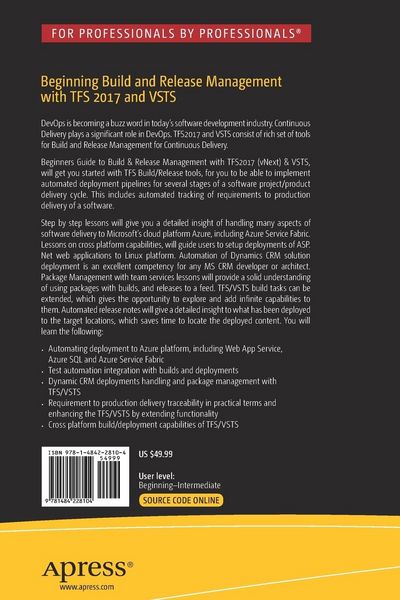
Beginning Build and Release Management with TFS 2017 and VSTS Leveraging Continuous Delivery for Your Business

58,99 €

inkl. gesetzl. MwSt., Versandkostenfrei

Lieferung nach Hause

Beschreibung

Produktdetails

Einband

Taschenbuch

Erscheinungsdatum

02.06.2017

Abbildungen

XVII, 785 illus., 778 illus. in color., schwarz-weiss Illustrationen, farbige Illustrationen

Verlag

Apress

Seitenzahl

559

Maße (L/B/H)

23,5/15,5/3,2 cm

Gewicht

867 g

Auflage

1st edition

Sprache

Englisch

ISBN

978-1-4842-2810-4

Beschreibung

Produktdetails

Einband

Taschenbuch

Erscheinungsdatum

02.06.2017

Abbildungen

XVII, 785 illus., 778 illus. in color., schwarz-weiss Illustrationen, farbige Illustrationen

Verlag

Apress

Seitenzahl

559

Maße (L/B/H)

23,5/15,5/3,2 cm

Gewicht

867 g

Auflage

1st edition

Sprache

Englisch

ISBN

978-1-4842-2810-4

Herstelleradresse

Libri GmbH
Europaallee 1
36244 Bad Hersfeld
DE

Email: gpsr@libri.de

Kundinnen und Kunden meinen

0 Bewertungen

Informationen zu Bewertungen

Zur Abgabe einer Bewertung ist eine Anmeldung im Konto notwendig. Die Authentizität der Bewertungen wird von uns nicht überprüft. Wir behalten uns vor, Bewertungstexte, die unseren Richtlinien widersprechen, entsprechend zu kürzen oder zu löschen.

Die Bewertungen sind nach Format, Anzahl Sterne und Datum sortiert.

Verfassen Sie die erste Bewertung zu diesem Artikel

Helfen Sie anderen Kund*innen durch Ihre Meinung

Kundinnen und Kunden meinen

0 Bewertungen filtern

  • Produktbild: Beginning Build and Release Management with TFS 2017 and VSTS
  • Produktbild: Beginning Build and Release Management with TFS 2017 and VSTS
  • Chapter 1:  Understanding the Concepts
    Chapter Goal: Give the conceptual idea of a deployment pipeline, providing reasoning for adopting recommended practices, while setting up a pipeline, in practical terms. Define what should be assigned to build, and what the job of the release is. Sub -Topics 1. Introducing Continuous Delivery 2. Build and Release Management with TFS15/VSTS 3. Recommendations for a robust deployment pipeline. 
    Chapter 2:  TFS15/VSTS Build/Release Agents – Configuring & Marketplace Extensions
    Chapter Goal: Hand on step by step lessons, Walkthroughs in setting up agent for different scenarios.  Each lesson will have below sections for all chapters. • Lesson Goal • Prerequisites • Step by Step Walkthrough • Summary (including brief conceptual explanation) <
    Sub - Topics Lesson 1. Setup Agent Pools and Queues Lesson 2. Link VSTS to Azure Subscription Lesson 3. Setup Window Build/Release Agent Lesson 4. Setup Window Build/Release Agent Untrusted Domain Lesson 5. Install Extension from Marketplace
    Chapter 3:  ASP.Net Web Application Deployment to Azure and IIS
    Chapter Goal: Hands on lessons on ASP.Net MVC 05 and ASP.NET Core 1.0 web application build and deployment to Azure and IIS.
    Lesson 2. Build ASP.Net Web Applications with TFS Build Lesson 3. Tokenizing Configurations and Settings with Build Lesson 4. Deploying to IIS Lesson 5. Deploying Web Applications to Azure (Classic and Resource Manager) eploymentsLesson 7. Deployment Tasks – Azure Slot Swap, Slot Settings
    Chapter 4: Deployment to other platforms
    Chapter Goal: Hands on lessons on ASP.Net Core builds and deployments including Linux. TFS Build/Release usage with Docker
    Sub - Topics:  Lessons topics to be decided later. Topics will cover step by step guidance on Setup Build/Release Agent on Linux, ASP.Net Core deployment to Linux and TFS Build/Release usage with Docker.
    Chapter 5: Azure SQL and TFS/VSTS Build and Release 
    Chapter Goal: Hand on lessons on managing Azure SQL databases with TFS/VSTS release management tasks.
    Sub - Topics:   Lesson 1. Create database Visual Studio project. Lesson 2. Azure SQL Server and Azure Database Setting up Lesson 3. Building the Database Project with TFS Build Lesson 4. TFS Release Management - Azure SQL Database deployments  Lesson 5. TFS Release Management - Azure SQL Database Backup and Restore.
    Chapter 6: Team Services for Azure Service Fabric Deployments
    Chapter Goal: Brief introduction to Azure Service Fabric. Hand on lessons on creating ASP.Net Core Application for Azure Service Fabric, get it build and deployed to Azure Service Fabric via TFS15/VSTS Release. 
    Sub - Topics: Lessons topics to be decided later.  
    Chapter 7: Meta-Tasks, Folders, Tags and Build/Release Definition History
    Chapter Goal: Introduction to Meta-tasks, Folders, Tags, History usage in build and release. Hands on lessons on using them in build, release definitions.
    Sub - Topics:  Meta-Task Introduction Lesson 1. Creating a Meta-task and Parameterizing Lesson 2. Using Meta Task Lesson 3. Using Folders and Tags Lesson 4. Using Build Release Definition History and Comments
    Chapter 8: Building with External Repositories and other platform builds
    Chapter Goal: Hands on lessons on building a solution available in external repositories such as GitHub, and building Java applications.
    Sub - Topics:  Lesson 1. Connecting GitHub and TFS/VSTS Lesson 2. Building Solutions from GitHub Lesson 3. Building a Java Application with TFS/VSTS   Chapter 9: Test Automation with Build and Release
    Chapter Goal: Overview of test integration capability in build and release. Hands on lessons on unit test integration, functional test integration and load test execution.
    Sub - Topics:  Test Automation Introduction Lesson 1. Writing Unit tests and Integrating with build Lesson 2. Writing Coded UI tests and packaging with build Lesson 3. Running functional tests with TFS15/VSTS release Lesson 4. Setting up a Test Farm in Azure VMs Lesson 5. Writing and running XUnit tests with Build Lesson 6. Running load tests with release management
    Chapter 10: Dynamics CRM 2016 /CRMOnline Deployments with TFS/VSTS Release
    Chapter Goal: Hands on lessons on Dynamics CRM 2016/ CRMOnline Solution and Data, CRM Customizations source controlling, Build and Deployment with TFS.
    Sub - Topics:  Lesson 1. Introduction Dynamics CRM 2016/ CRMOnline Deployment Challenges Lesson 2. CRM 2016/ CRMOnline Solution(Customizations) Source Controlling Lesson 3. Building CRM 2016/ CRMOnline Solution with TFS Build Lesson 4. Deploying CRM 2016/ CRMOnline Solution with TFS ReleaseLesson 5. Source Control CRM Reference Data Lesson 6. Deploying CRM Data with TFS Release   Chapter 11: Effective Release Note – with TFS Release
    Chapter Goal: Hands on lessons on generating effective release notes while deploying to each target environment. 
    Sub - Topics: Topics to be decided later. Topics will cover from properly associating work (Requirements, Bugs, etc) with the submitted changes. Also the scripts and the components required to generate effective release notes for each target environments based on the deploying build and previous deployment done to target.
    Chapter 12: Package Management.
    Chapter Goal: Hands on lessons on creating feeds for packages, and restore, build and deploying packages. 
    Lesson 1. Creating feeds for package management Lesson 2. Restore packages in builds Lesson 3. Build packages Lesson 4. Publish packages with team foundation release
    Chapter 13: Extending Build and Release Tasks on your own
    Chapter Goal: Hands on lessons on creating an extension to TFS/VSTS build, release. 
    Sub - Topics: Lesson 1. Extension Sample Project Lesson 2. Writing Build/Release Task Lesson 3. Packaging the Build/Release Task Lesson 4. Deploying and using the Build/Release Task