
Hands-On Functional Test Automation With Visual Studio 2017 and Selenium
-
- Taschenbuch ausgewählt
- eBook
-
Sprache:Englisch
43,99 €
inkl. gesetzl. MwSt.,
Beschreibung
Produktdetails
Einband
Taschenbuch
Erscheinungsdatum
02.05.2019
Abbildungen
XV, 252 p. 177 illus.
Verlag
APressSeitenzahl
252
Maße (L/B/H)
25,4/17,8/1,5 cm
Gewicht
511 g
Sprache
Englisch
ISBN
978-1-4842-4410-4
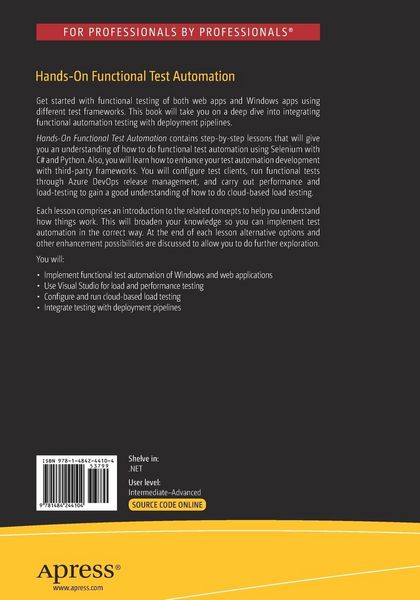
Get started with functional testing of both web apps and Windows apps using different test frameworks. This book will take you on a deep dive into integrating functional automation testing with deployment pipelines.
Hands-On Functional Test Automation
contains step-by-step lessons that will give you an understanding of how to do functional test automation using Selenium with C# and Python. Also, you will learn how to enhance your test automation development with third-party frameworks. You will configure test clients, run functional tests through Azure DevOps release management, and carry out performance and load-testing to gain a good understanding of how to do cloud-based load testing.
Each lesson comprises an introduction to the related concepts to help you understand how things work. This will broaden your knowledge so you can implement test automation in the correct way. At the end ofeach lesson alternative options and other enhancement possibilities are discussed to allow you to do further exploration.
You will:
· Implement functional test automation of Windows and web applications
· Use Visual Studio for load and performance testing
· Configure and run cloud-based load testing
· Integrate testing with deployment pipelines
Noch keine Bewertungen vorhanden
Verfassen Sie die erste Bewertung zu diesem Artikel
Helfen Sie anderen Kundinnen und Kunden durch Ihre Meinung.
Kurze Frage zu unserer Seite
Vielen Dank für dein Feedback
Wir nutzen dein Feedback, um unsere Produktseiten zu verbessern. Bitte habe Verständnis, dass wir dir keine Rückmeldung geben können. Falls du Kontakt mit uns aufnehmen möchtest, kannst du dich aber gerne an unseren Kund*innenservice wenden.
zum Kundenservice